Multi-location dashboard
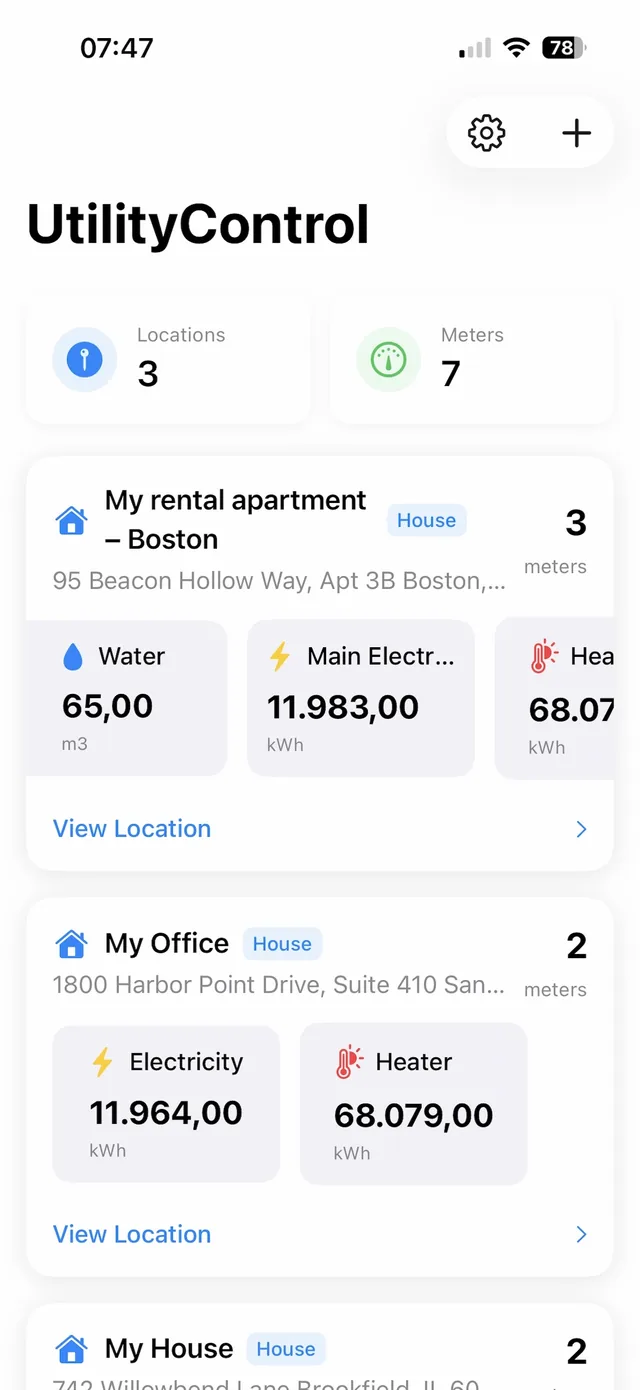
Organize meters by property, building, or facility and see every location and its latest readings at a glance.
Multi-location setup guide →Utility monitoring software for tracking electricity, water, gas, and heating usage — and costs — across multiple locations.

From the first reading to the last bill, UtilityControl keeps consumption, costs, and paperwork in one place.
Organize meters by property, building, or facility and see every location and its latest readings at a glance.
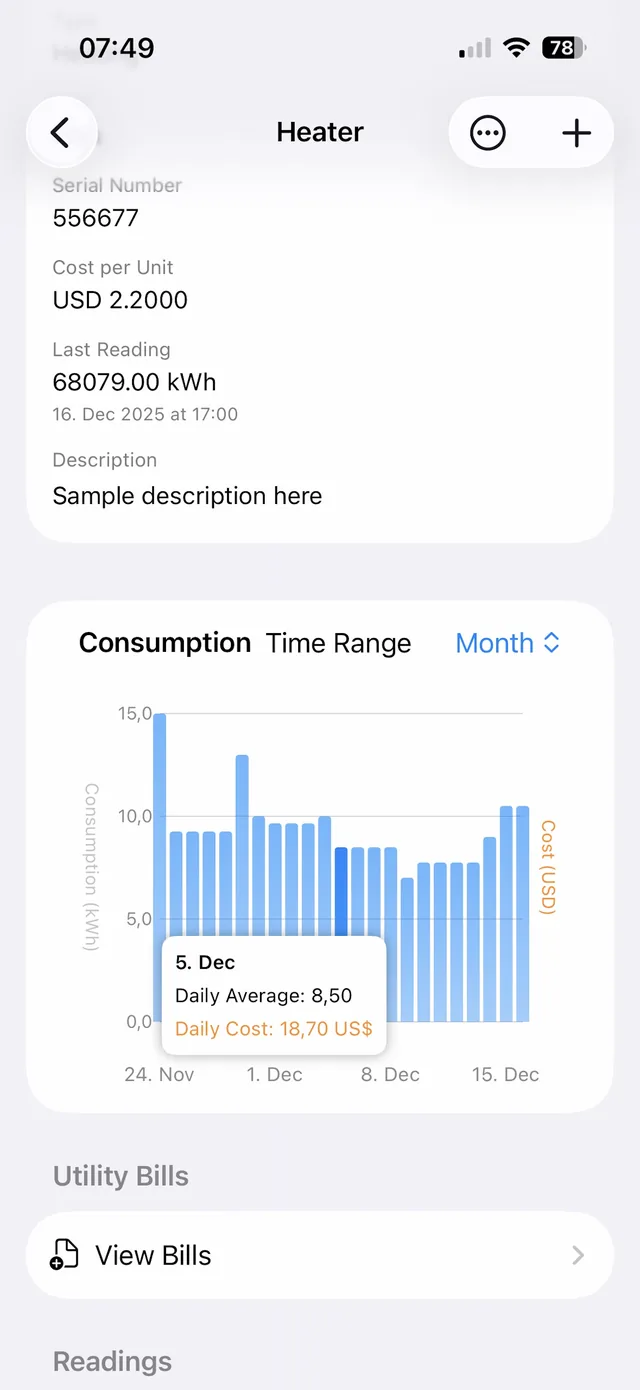
Multi-location setup guide →Usage Over Time, Daily Usage, and Daily Cost charts, with daily values interpolated between readings and cost per unit tracked per meter.
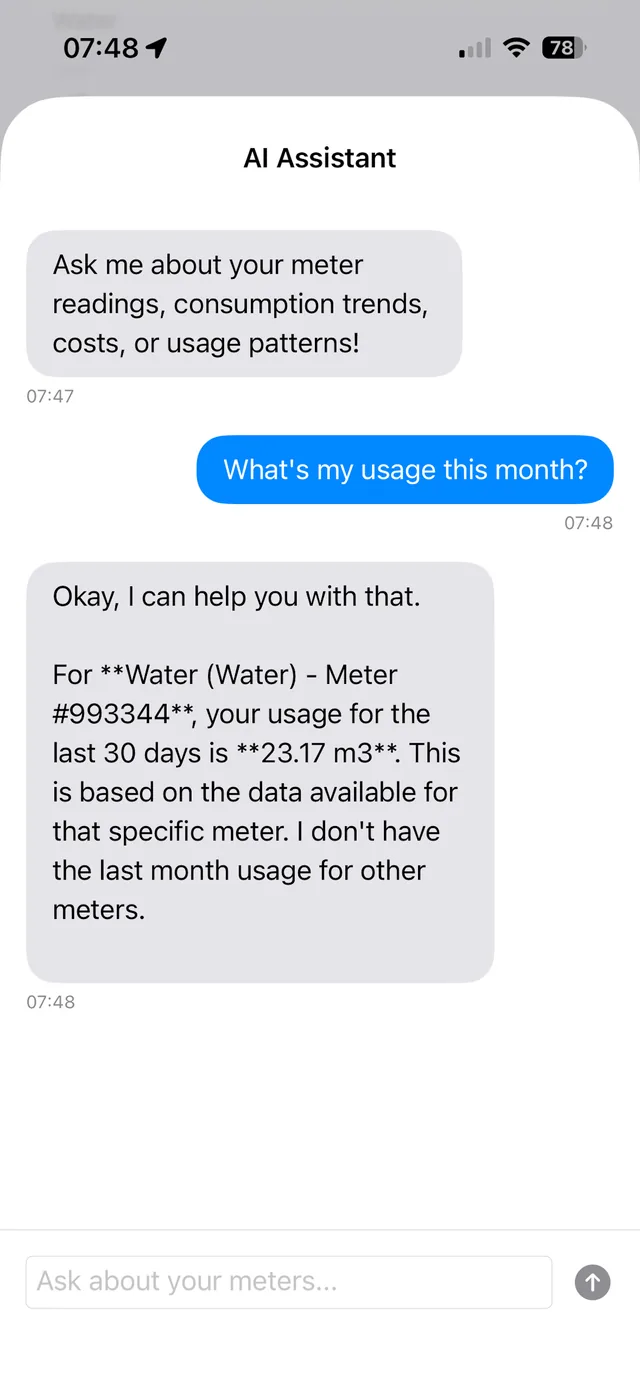
Ask “What’s my usage this month?” or “Which meter costs the most?” and get answers based on your own meter data (AI-based).
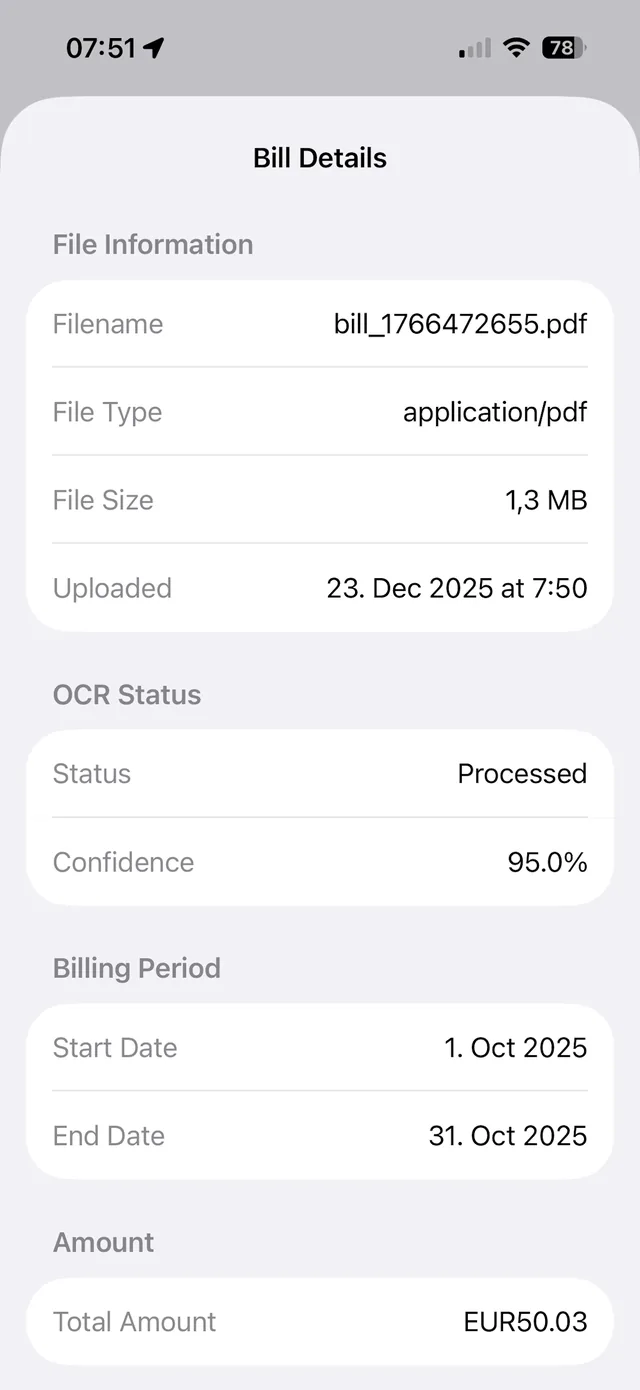
Upload a photo or multi-page PDF. Dates, amounts, usage, account numbers, and billing periods are extracted, with confidence scores.
Utility billing in 2026 →Bill usage is compared with your meter readings so discrepancies and possible billing errors are flagged before you pay.
Detect and recover overpayments →Import a meter's history from CSV and export readings any time: one CSV per meter, or a ZIP with a file for every meter in a location. European and US number formats are read correctly, and unreadable rows are reported.
CSV import guide →Explore the powerful features that make UtilityControl the smart choice for utility management
Manage all your utility meters from one intuitive dashboard. Organize meters by location and track multiple properties effortlessly.
Interactive charts reveal your consumption patterns with automatic daily calculations and trend analysis.
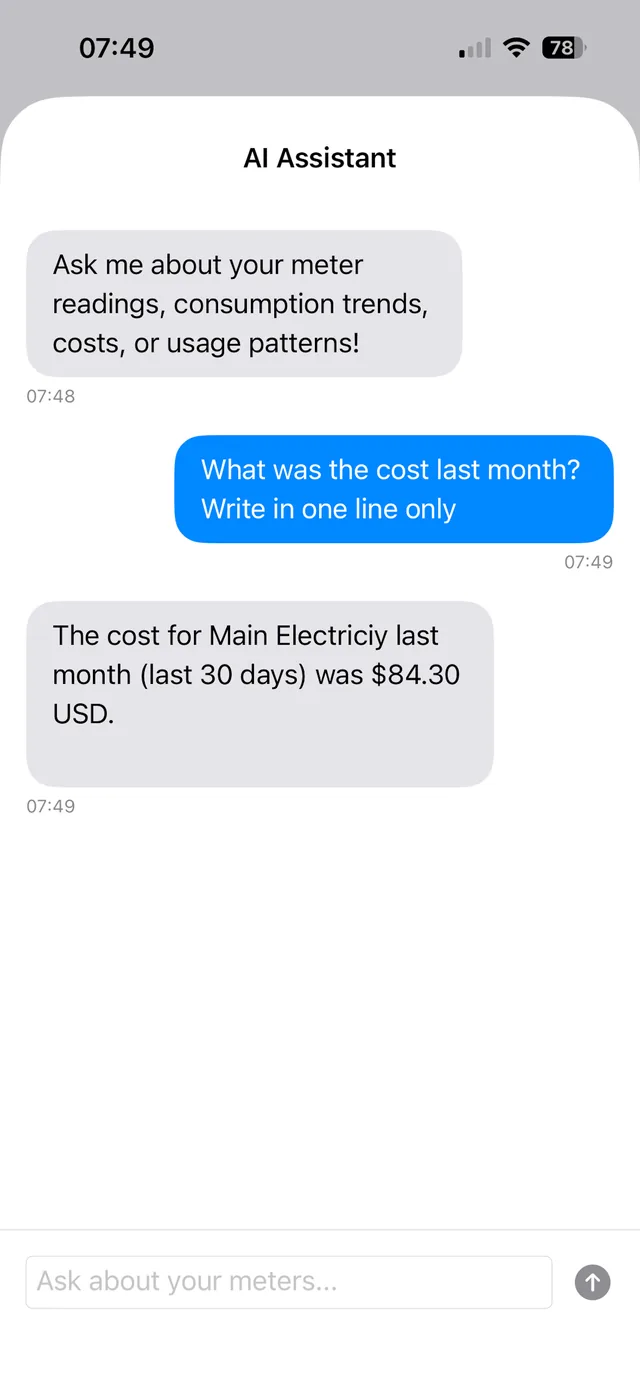
Ask questions about your consumption in plain language and get answers based on your own meter data.
Get quick insights about your utility consumption. The assistant looks at your patterns and points out what stands out.
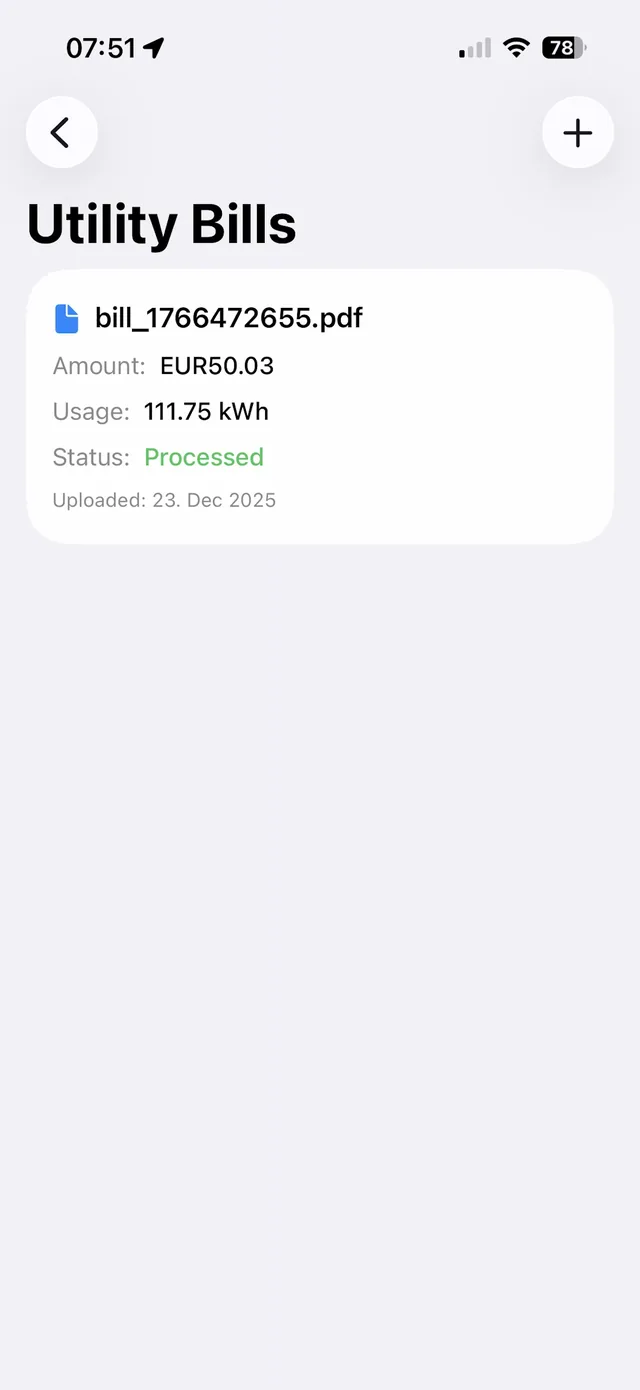
Upload utility bills and automatically compare them with your meter readings. Catch discrepancies and verify billing accuracy.
UtilityControl automatically checks consistency between your uploaded bills and meter readings, helping you catch errors and verify accuracy.
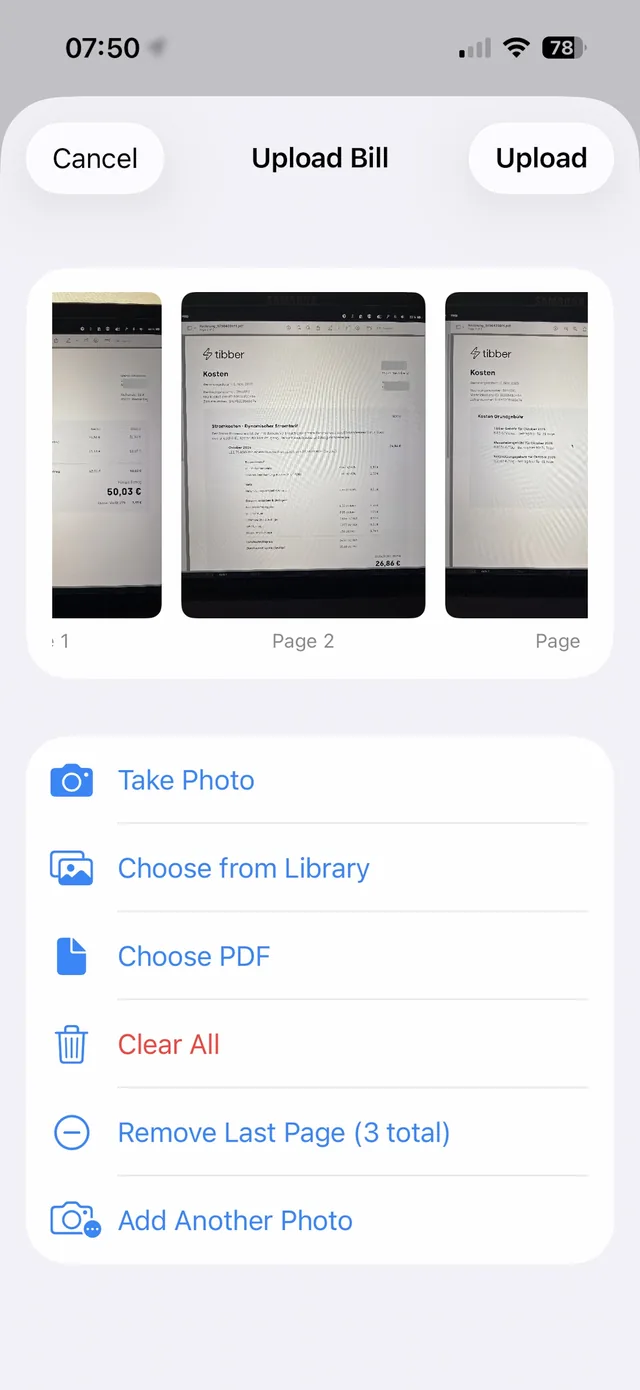
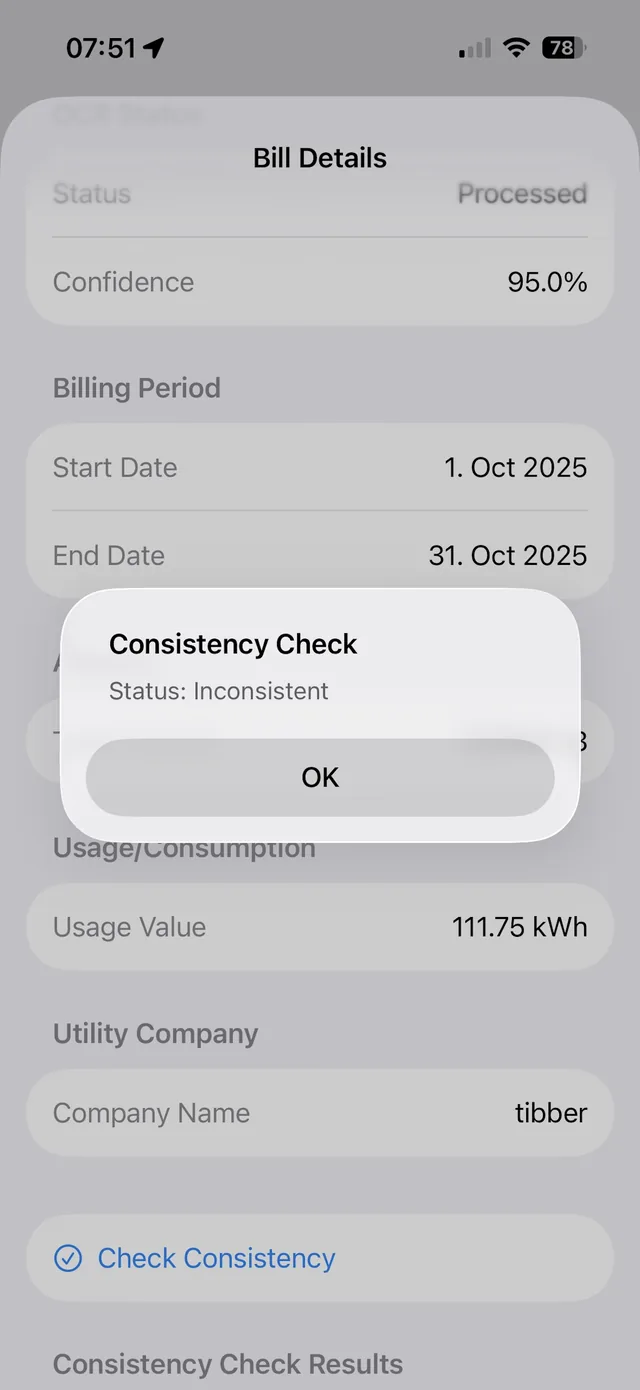
Our advanced OCR technology automatically extracts key information from your utility bills, saving you time and reducing manual data entry.
Upload multiple pages for each bill. The system processes all pages together, ensuring complete data extraction from multi-page utility bills.
See how UtilityControl makes utility meter tracking effortless. Complete demo showing web dashboard and iOS app features.
UtilityControl helps you track, analyze, and optimize utility consumption across multiple locations. With interactive analytics and automated bill processing, you can manage electricity, water, gas, and heating meters from one intuitive platform. New to the category? See our overview of utility tracking software for how it fits into a broader property management workflow.
Create locations for your properties and add meters for electricity, water, gas, or heating. Configure each meter with units, costs, and descriptions.
Enter meter readings manually or import bulk data via CSV. The system automatically calculates daily consumption using interpolation.
View interactive charts showing consumption trends and costs. Ask the chat assistant questions about your usage patterns, or upload bills for automatic comparison with meter readings.
Export data to CSV for reporting or integration. Use insights to identify cost-saving opportunities and optimize your utility consumption.
Five steps from an empty account to consumption reports you can act on.
Create locations (buildings, properties, facilities) and add relevant details such as address and location type. Locations serve as containers for organizing related meters.
For each location, add meters with details including meter name, type (electricity, water, gas, heating), unit of measurement, cost per unit, currency, and meter number. Configure each meter according to your tracking needs.
Enter meter readings manually through the web interface or import bulk readings via CSV. Each reading includes the meter value, date/time, and optional notes. Readings can be edited or deleted as needed.
View interactive charts showing usage over time, daily consumption patterns, and cost trends. Filter by time periods (week, month, 2 months, 3 months, year) to analyze specific ranges. The system automatically calculates daily usage using interpolation between readings.
Export meter readings to CSV for reporting, backup, or integration with accounting systems. Use the data to generate consumption reports, identify trends, and make informed decisions about utility usage optimization.
Whether you own one rental or run a portfolio, the same location and meter model scales with you.
Mobile-first tracking for 1-5 units with a free plan and no hardware or enterprise pricing.
Small landlord guide →Multi-location organization, per-meter cost tracking, and CSV export across many buildings.
Multifamily software guide →Monitor energy and water use across commercial buildings without a full building automation retrofit.
Commercial building guide →Keep a reading history for your own meters, spot changes early, and see what utilities really cost.
Getting started →Access UtilityControl from any device. All platforms sync seamlessly, so your data is always up to date.
Track utilities on the go with our lightweight iOS app for iPhone, iPad, and Mac.
Android version coming soon. Stay tuned for updates.
Coming SoonStraight answers about how UtilityControl works.
UtilityControl is a utility meter monitoring and management system designed for tracking consumption, analyzing usage patterns, and calculating costs across multiple locations. It supports electricity, water, gas, and heating meters with analytics and automated bill processing with OCR.
Yes. UtilityControl includes a chat assistant (AI-based) that lets you ask questions about your utility consumption in plain language, such as 'What's my usage this month?' or 'Which meter costs the most?', and answers from your actual meter data.
Yes, UtilityControl uses advanced OCR (Optical Character Recognition) technology to automatically extract key information from utility bills. Simply upload a photo or PDF of your bill, and the system extracts dates, amounts, usage values, account numbers, and billing periods. The system then checks consistency between your bills and meter readings.
UtilityControl supports electricity, water, gas, and heating meters. Each meter can be configured with custom names, units of measurement, meter numbers, and descriptions. The system can track any utility type that uses cumulative readings.
UtilityControl uses advanced interpolation algorithms to calculate daily usage even when readings aren't taken every day. The system distributes consumption between reading dates, providing accurate daily usage estimates for trend analysis.
Yes, UtilityControl supports CSV import for efficient bulk data entry. You can also export readings to CSV for backup, reporting, or integration with accounting systems. Dates use the DD.MM.YYYY format (time optional), numbers can be in European or US notation, and any rows that cannot be read are reported after the import.
UtilityControl provides three powerful chart types: Usage Over Time (linear time axis), Daily Usage (bar chart with interpolated values), and Daily Cost (cost visualization). You can filter by week, month, 2 months, 3 months, or year for flexible analysis.
Yes, UtilityControl is available as an iOS app for iPhone, iPad, and Mac. An Android version is coming soon. The web application is also accessible from any browser, and all platforms sync seamlessly.
You can configure cost per unit and currency for each meter. The system automatically calculates daily costs based on daily usage and the configured cost per unit, allowing you to visualize cost trends alongside usage patterns.
UtilityControl uses Google Cloud Vision API and automated parsing for high accuracy OCR extraction. The system provides confidence scores for extracted data and allows manual review and correction. For bills with low confidence scores, the system flags them for review.
Explore our blog articles to learn more about utility tracking, energy management, and best practices.
How OCR and automation are changing utility bill management, saving time and reducing errors.
Read Article →Learn why utility consumption tracking is critical for property managers and how it prevents costly disputes.
Read Article →Compare the best utility tracking apps. Review features, pros, and cons to find the right solution for your needs.
Read Article →A comprehensive guide on tracking building energy usage, covering methods and best practices for facility managers.
Read Article →Meet UtilityControl: a simple but powerful way for homeowners and facility operators to track, visualize, and optimize utility usage.
Read Article →Why simply reading meters isn\'t enough: how systematic tracking catches leaks and equipment issues before they get expensive.
Read Article →Utility bills often contain errors. Learn how to catch billing mistakes and recover overpayments before they add up.
Read Article →Newer guides: Utility tracking best practices · Best software for small landlords · AI utility billing in 2026 · Utility tracking software overview
Get started with UtilityControl today and gain insights into your utility consumption
Free plan available • No hardware needed